hist(rnorm(5000, mean=10))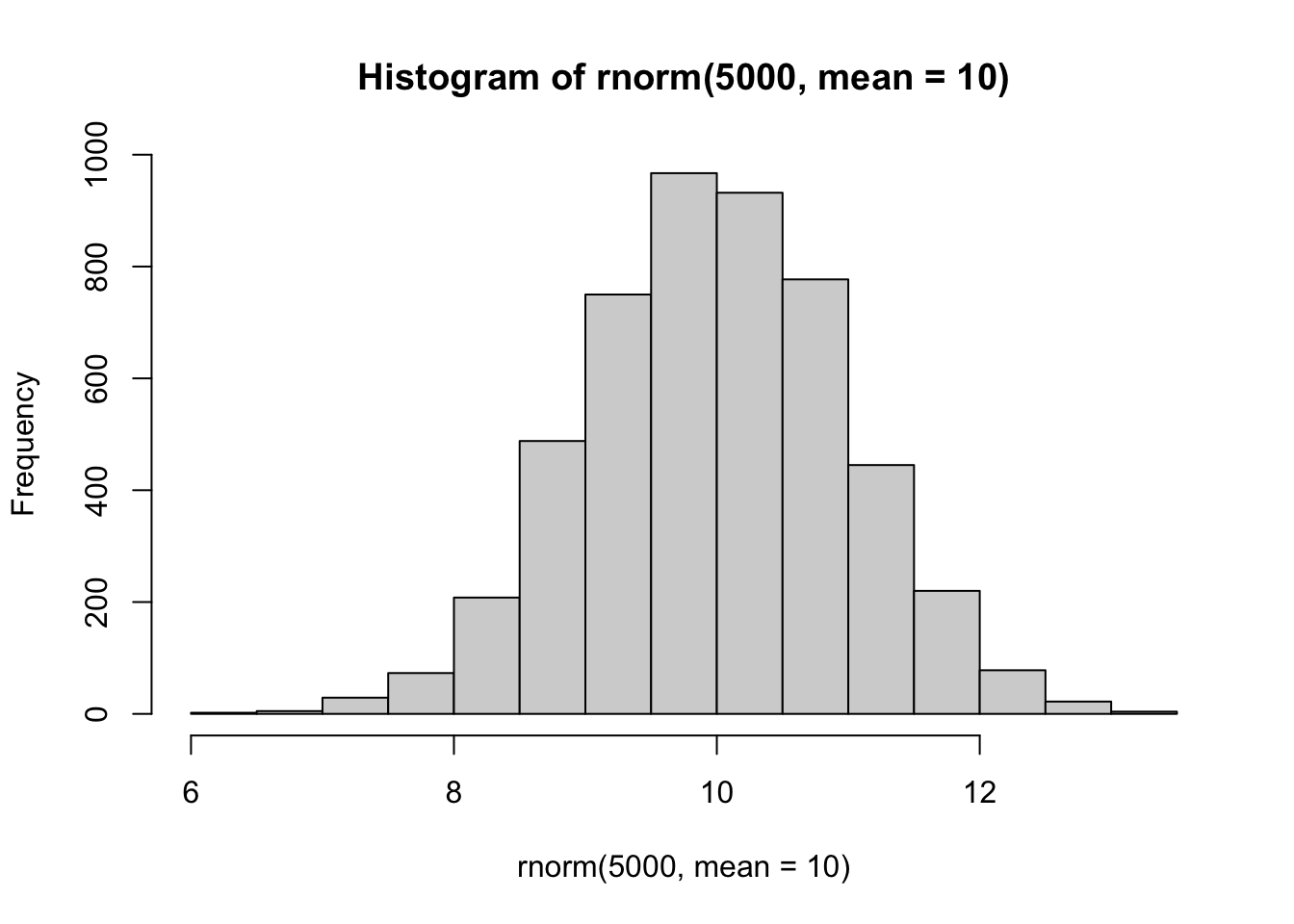
Today we will begin our exploration of some important machine learning methods, namely clustering and dimensionality reduction.
Let’s make up some input data for clustering where we know what the natural “clusters” are.
The function rnorm() can be useful here.
hist(rnorm(5000, mean=10))
Q. Generate 30 random numbers at +3
tmp <- c(rnorm(30, mean=3),
         rnorm(30, mean=-3))
x <- cbind(x=tmp, y=rev(tmp))
plot(x)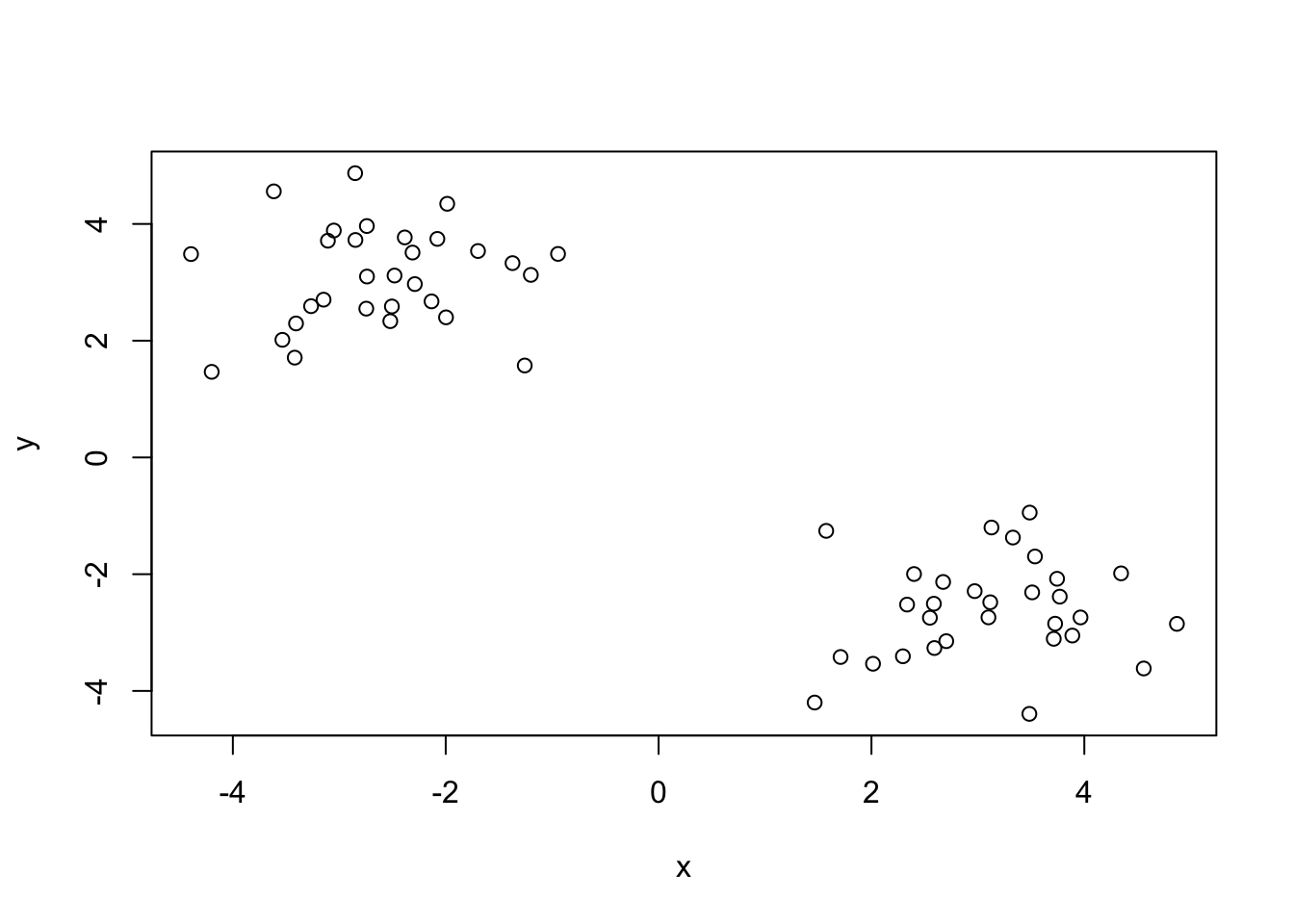
The main function in “base R”for K-means is called kmeans()
km<-kmeans(x,centers=2)
km
K-means clustering with 2 clusters of sizes 30, 30
Cluster means:
          x         y
1  3.104457 -2.607468
2 -2.607468  3.104457
Clustering vector:
 [1] 1 1 1 1 1 1 1 1 1 1 1 1 1 1 1 1 1 1 1 1 1 1 1 1 1 1 1 1 1 1 2 2 2 2 2 2 2 2
[39] 2 2 2 2 2 2 2 2 2 2 2 2 2 2 2 2 2 2 2 2 2 2
Within cluster sum of squares by cluster:
[1] 42.2156 42.2156
(between_SS / total_SS = 92.1 %)
Available components:
[1] "cluster" "centers" "totss" "withinss" "tot.withinss"
[6] "betweenss" "size" "iter" "ifault" Q. What component of the results object details the cluster sizes?
km$size[1] 30 30Q. What component of the results object details the cluster centers?
km$centers x y
1 3.104457 -2.607468
2 -2.607468 3.104457Q. What component of the results object details the cluster membershiip vector (i.e. our main result of which points lie in the cluster)?
km$cluster [1] 1 1 1 1 1 1 1 1 1 1 1 1 1 1 1 1 1 1 1 1 1 1 1 1 1 1 1 1 1 1 2 2 2 2 2 2 2 2
[39] 2 2 2 2 2 2 2 2 2 2 2 2 2 2 2 2 2 2 2 2 2 2Q. Plot our clustering results with points colored by cluster and alsp add the cluster centers as new colored blue?
plot(x, col=km$cluster)
points(km$centers, col="blue", pch=15)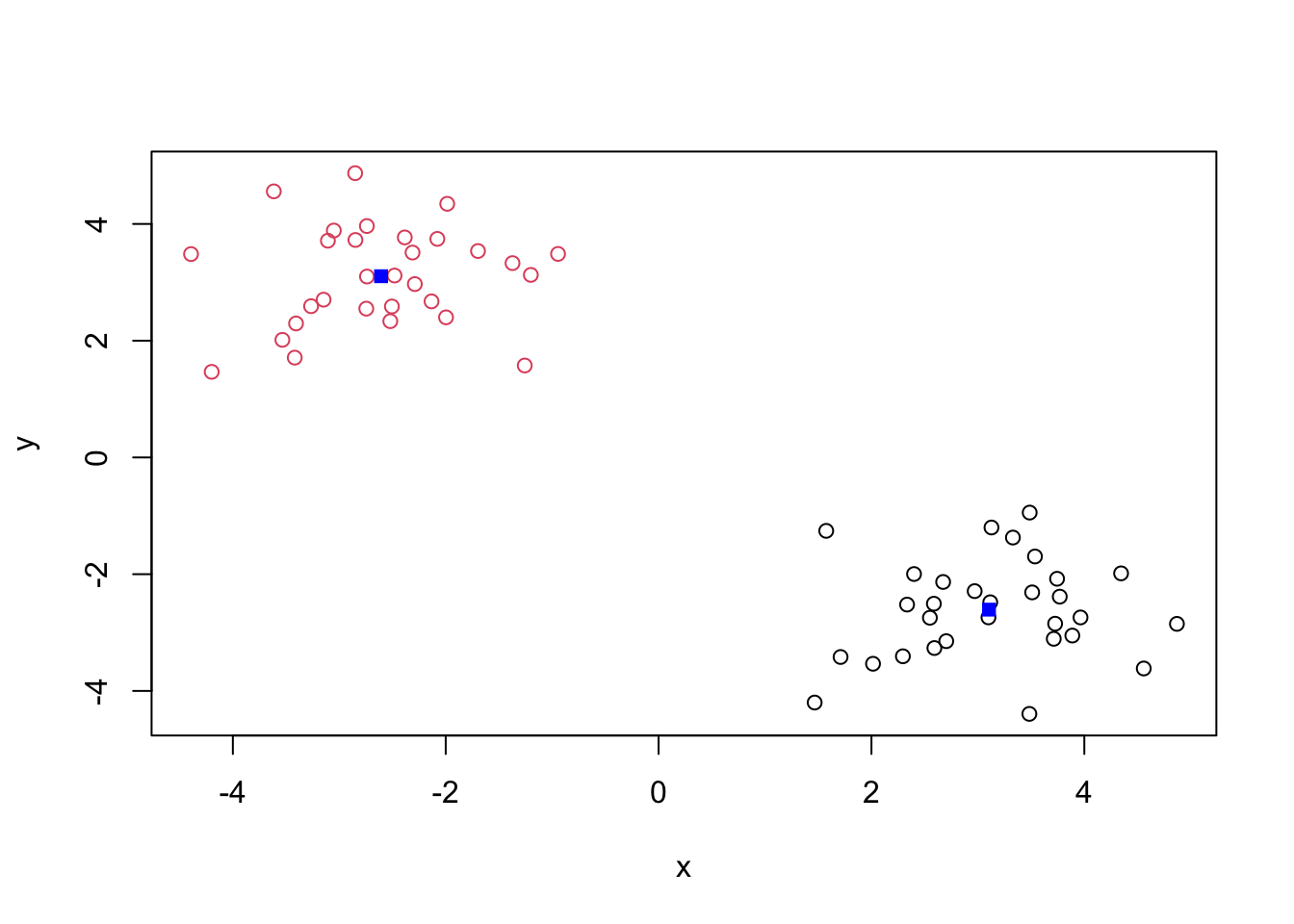
Q. Run
kmeans()again and this time produce 4 clusters (and call your result objectk4) and make a results figure like above?
k4 <- kmeans(x, centers=4)
plot(x, col=k4$cluster)
points(k4$centers, col="blue", pch=15)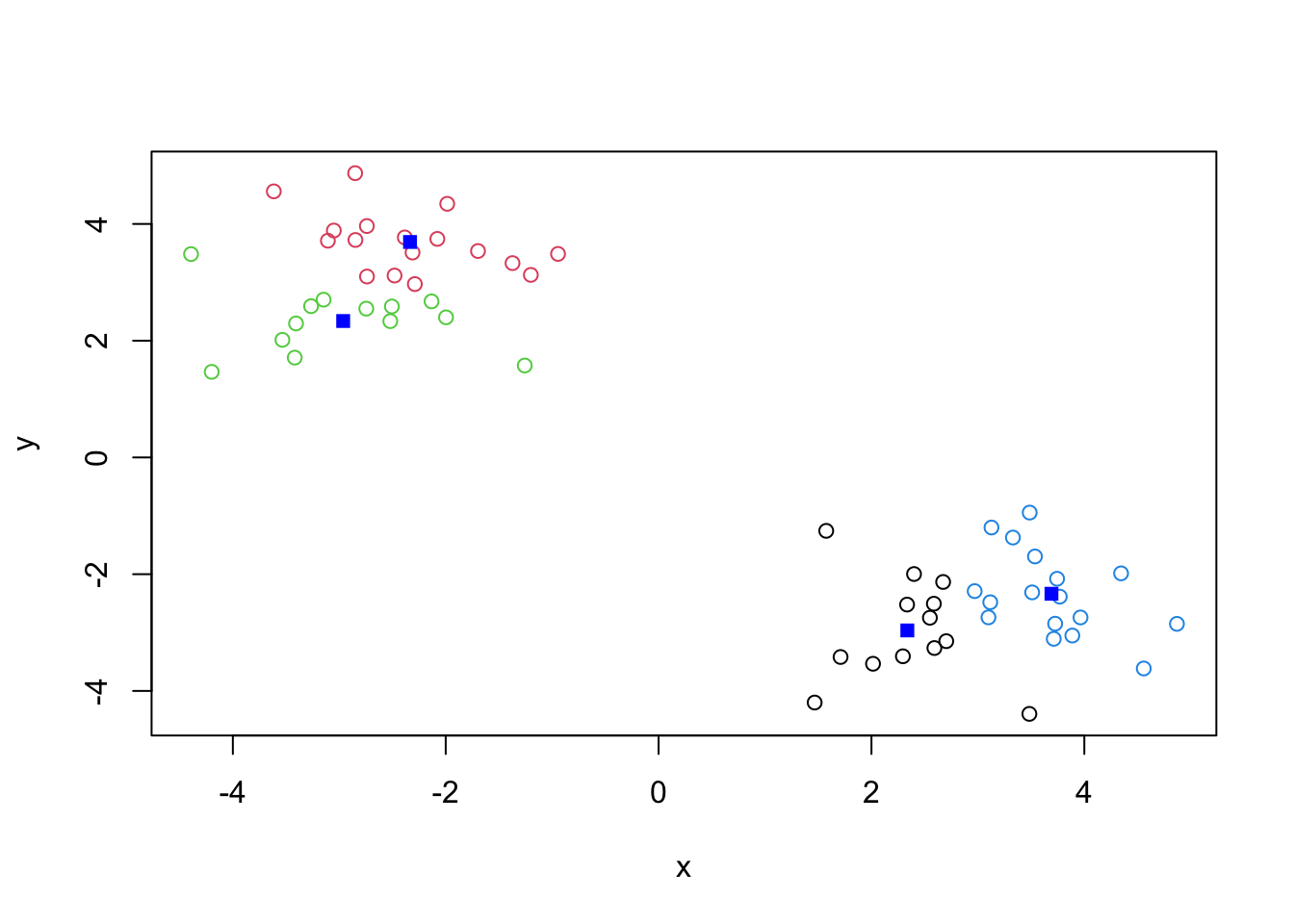
The metric
km$tot.withinss[1] 84.4312k4$tot.withinss[1] 51.60281Q. Let’s try different number of K (centers) from 1 to 30 and see what the best result is?
ans <- NULL
for(i in 1:30) {
  ans <- c(ans, kmeans(x, centers=i)$tot.withins)}
ans
[1] 1063.213862 84.431200 68.017008 59.347180 42.329750 37.709515
[7] 30.095050 24.250234 21.366661 19.882245 17.639075 15.193627
[13] 14.089118 16.038361 11.787017 9.002847 7.432849 9.042701
[19] 5.715411 5.322149 5.559550 5.425517 3.989017 4.620980
[25] 3.147497 2.951974 2.511174 3.338568 2.839995 2.661735plot(ans, type="o")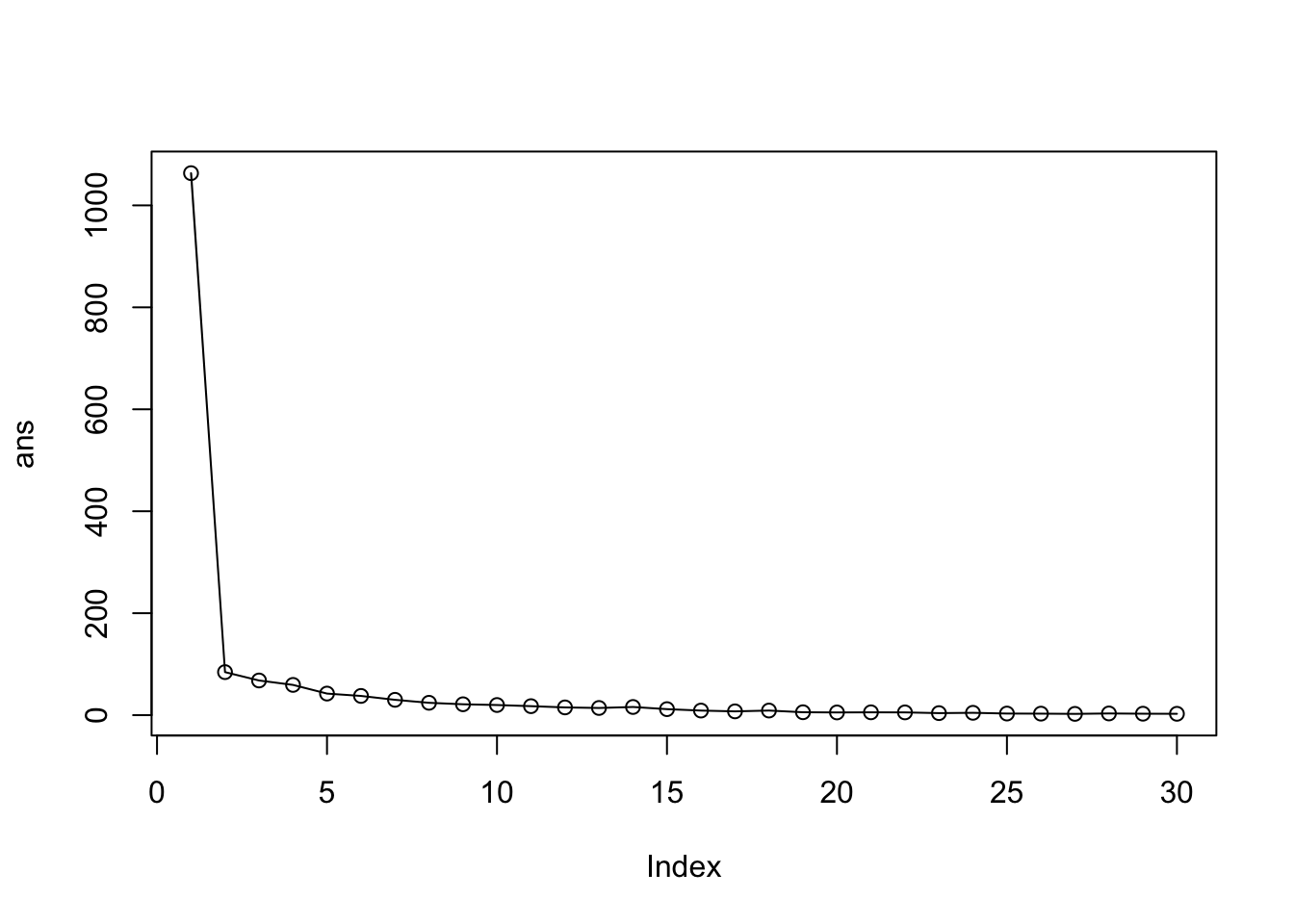
The problem is that it is self-fulfilling. K-means will impose a clustering structure on your data even if it is not there– it will always give you the answer you asked for even if that answer is silly!
The main function for Hierarchical Clustering is called hclus() Unlike kmeans() (which does all the work for you), you can’t just pass hclust() our raw input data. It needs a “distance matrix” like the one returned from the dist() function.
d <- dist(x)
hc <- hclust(d)
plot(hc)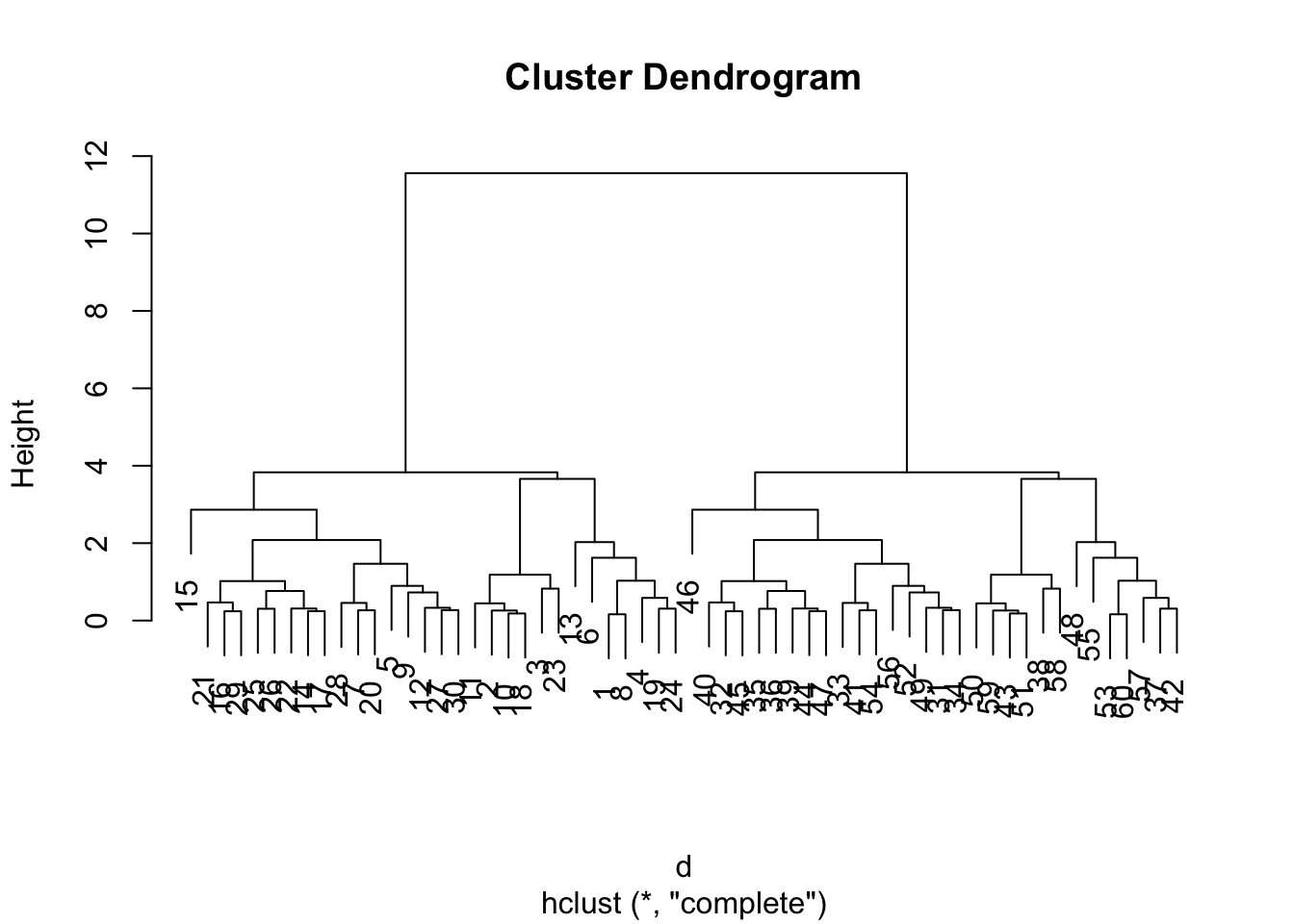
To extract our cluster membership vector from a hclust() result object we have to “cut” our tree at a given height to yield separate “groups”/“branches”.
plot(hc)
abline(h=8, col="red", lty=2)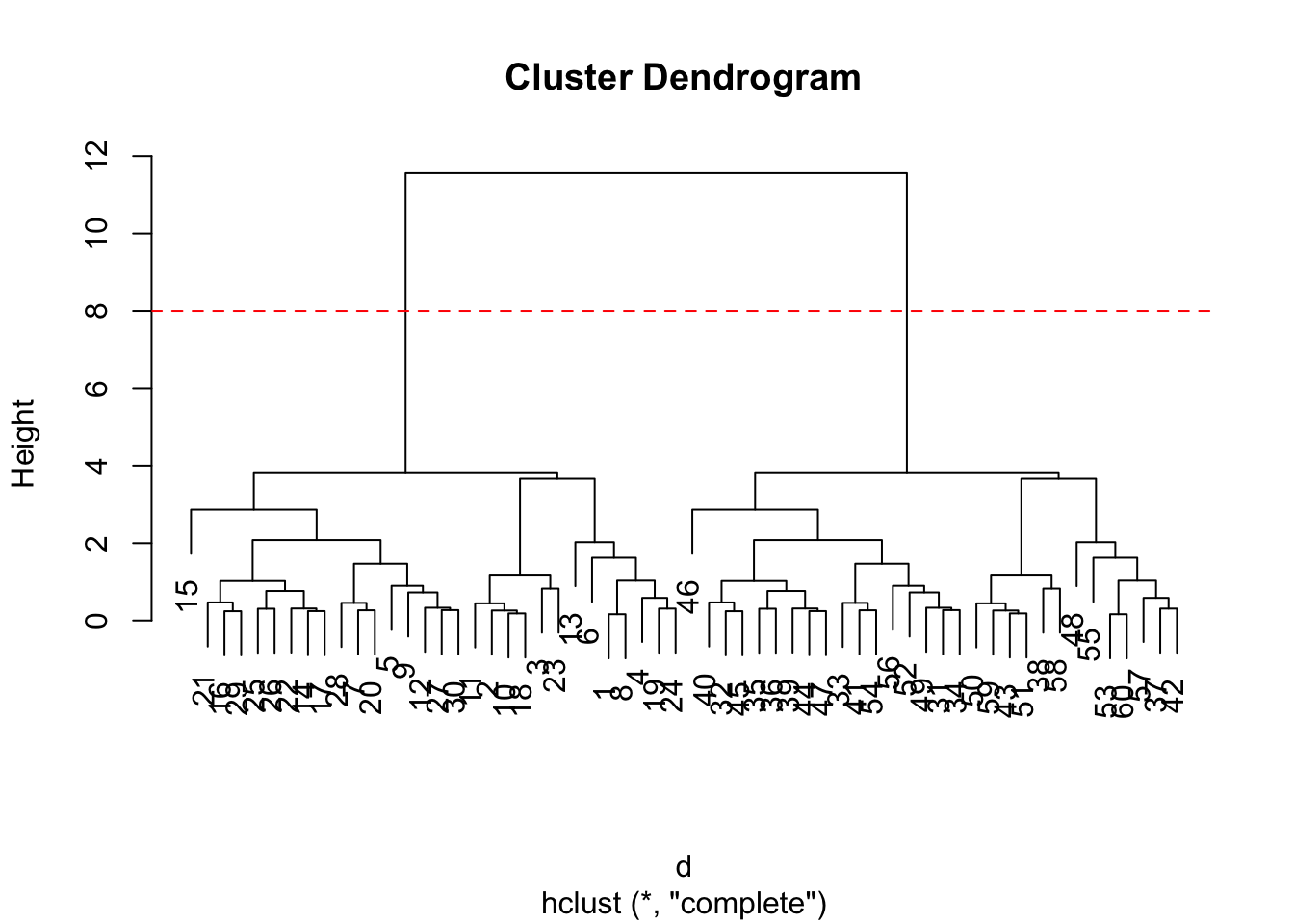
To di this we use the cutree() function on our `hclust()1 object:
grps <- cutree(hc, h=8)
grps
[1] 1 1 1 1 1 1 1 1 1 1 1 1 1 1 1 1 1 1 1 1 1 1 1 1 1 1 1 1 1 1 2 2 2 2 2 2 2 2
[39] 2 2 2 2 2 2 2 2 2 2 2 2 2 2 2 2 2 2 2 2 2 2table(grps, km$cluster)
grps  1  2
   1 30  0
2 0 30Import the dataset of food consumption in the UK:
url <- "https://tinyurl.com/UK-foods"
x <- read.csv(url)
x
X England Wales Scotland N.Ireland
1 Cheese 105 103 103 66
2 Carcass_meat 245 227 242 267
3 Other_meat 685 803 750 586
4 Fish 147 160 122 93
5 Fats_and_oils 193 235 184 209
6 Sugars 156 175 147 139
7 Fresh_potatoes 720 874 566 1033
8 Fresh_Veg 253 265 171 143
9 Other_Veg 488 570 418 355
10 Processed_potatoes 198 203 220 187
11 Processed_Veg 360 365 337 334
12 Fresh_fruit 1102 1137 957 674
13 Cereals 1472 1582 1462 1494
14 Beverages 57 73 53 47
15 Soft_drinks 1374 1256 1572 1506
16 Alcoholic_drinks 375 475 458 135
17 Confectionery 54 64 62 41Q1. How many rows and columns are in your new data frame named x? What R functions could you use to answer this questions?
dim(x)[1] 17 5#rownames(x)
x[,1] [1] "Cheese" "Carcass_meat " "Other_meat "
[4] "Fish" "Fats_and_oils " "Sugars"
[7] "Fresh_potatoes " "Fresh_Veg " "Other_Veg "
[10] "Processed_potatoes " "Processed_Veg " "Fresh_fruit "
[13] "Cereals " "Beverages" "Soft_drinks "
[16] "Alcoholic_drinks " "Confectionery " rownames(x)<- x[,1]To remove the first column I can use the minus index trick
x <- x[,-1]
x
England Wales Scotland N.Ireland
Cheese 105 103 103 66
Carcass_meat 245 227 242 267
Other_meat 685 803 750 586
Fish 147 160 122 93
Fats_and_oils 193 235 184 209
Sugars 156 175 147 139
Fresh_potatoes 720 874 566 1033
Fresh_Veg 253 265 171 143
Other_Veg 488 570 418 355
Processed_potatoes 198 203 220 187
Processed_Veg 360 365 337 334
Fresh_fruit 1102 1137 957 674
Cereals 1472 1582 1462 1494
Beverages 57 73 53 47
Soft_drinks 1374 1256 1572 1506
Alcoholic_drinks 375 475 458 135
Confectionery 54 64 62 41A better way to do this is to set the row names to the first column by with read.csv()
x <- read.csv (url,row.names=1)
x
England Wales Scotland N.Ireland
Cheese 105 103 103 66
Carcass_meat 245 227 242 267
Other_meat 685 803 750 586
Fish 147 160 122 93
Fats_and_oils 193 235 184 209
Sugars 156 175 147 139
Fresh_potatoes 720 874 566 1033
Fresh_Veg 253 265 171 143
Other_Veg 488 570 418 355
Processed_potatoes 198 203 220 187
Processed_Veg 360 365 337 334
Fresh_fruit 1102 1137 957 674
Cereals 1472 1582 1462 1494
Beverages 57 73 53 47
Soft_drinks 1374 1256 1572 1506
Alcoholic_drinks 375 475 458 135
Confectionery 54 64 62 41Q2. Which approach to solving the ‘row-names problem’ mentioned above do you prefer and why? Is one approach more robust than another under certain circumstances?
The second one. I don’t lose data. I like fixing things at the source.
is difficult in this wee 17D dataset…
barplot(as.matrix(x), beside=T, col=rainbow(nrow(x)))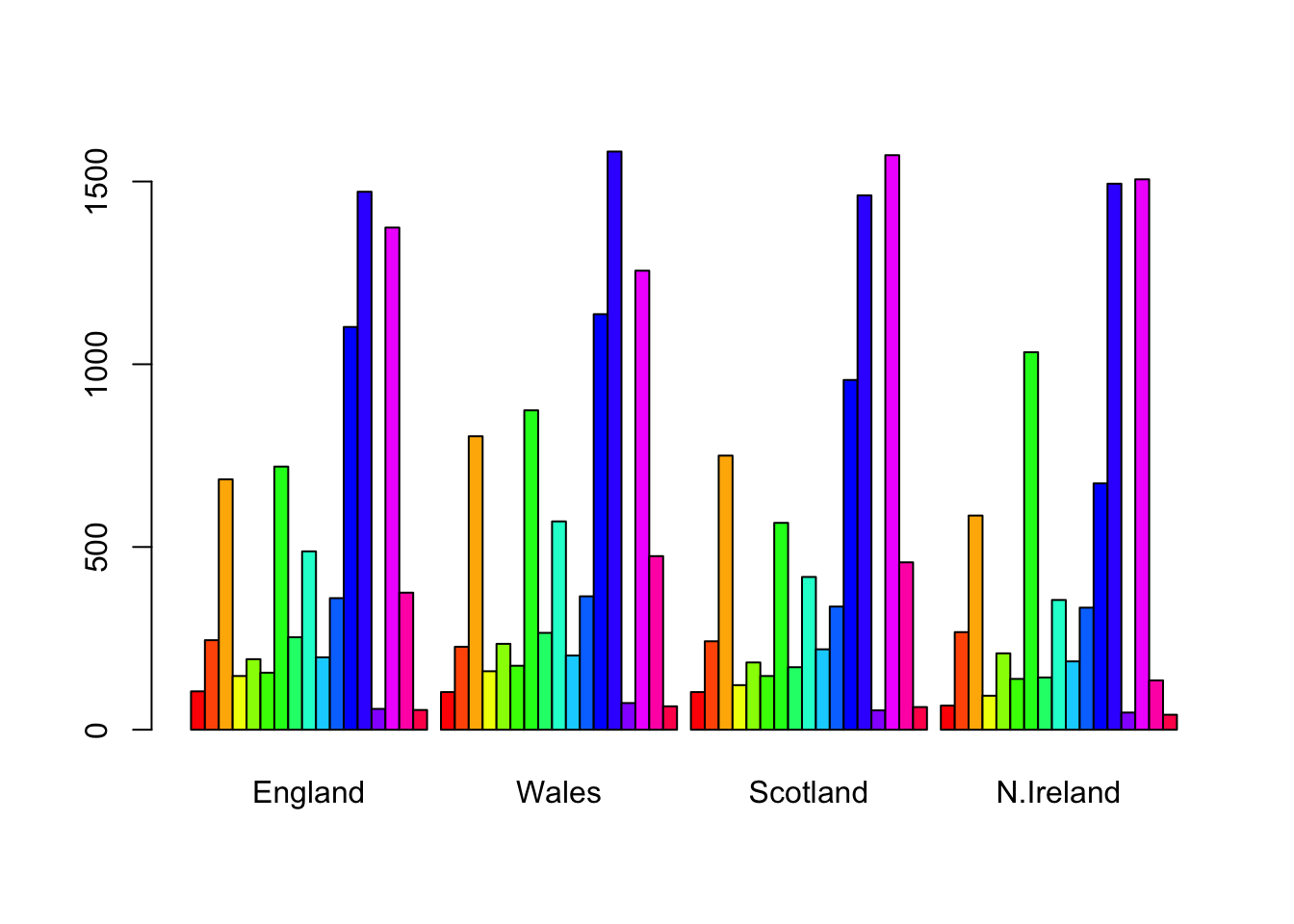
barplot(as.matrix(x), beside=F, col=rainbow(nrow(x)))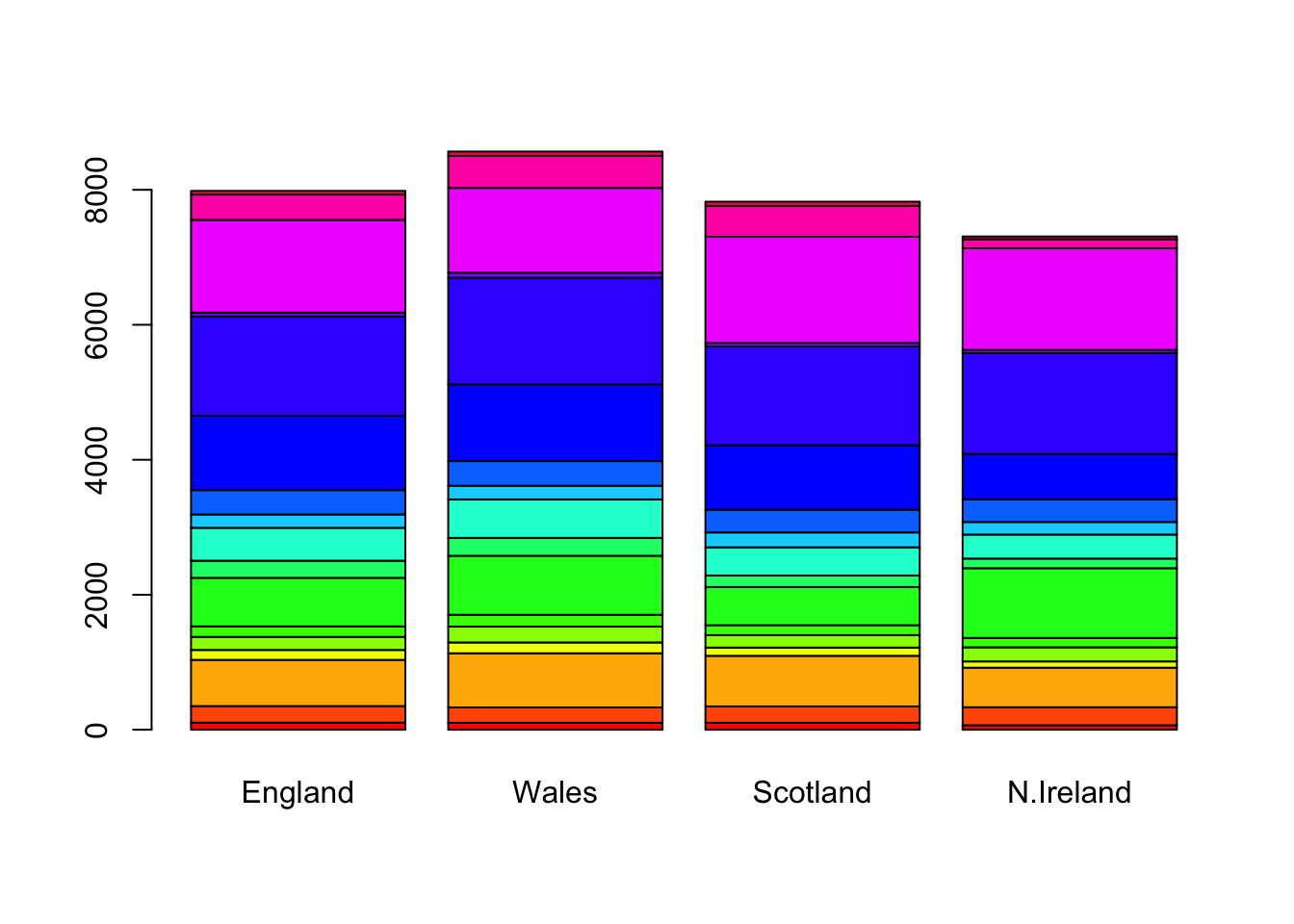
pairs(x, col=rainbow(nrow(x)), pch=16)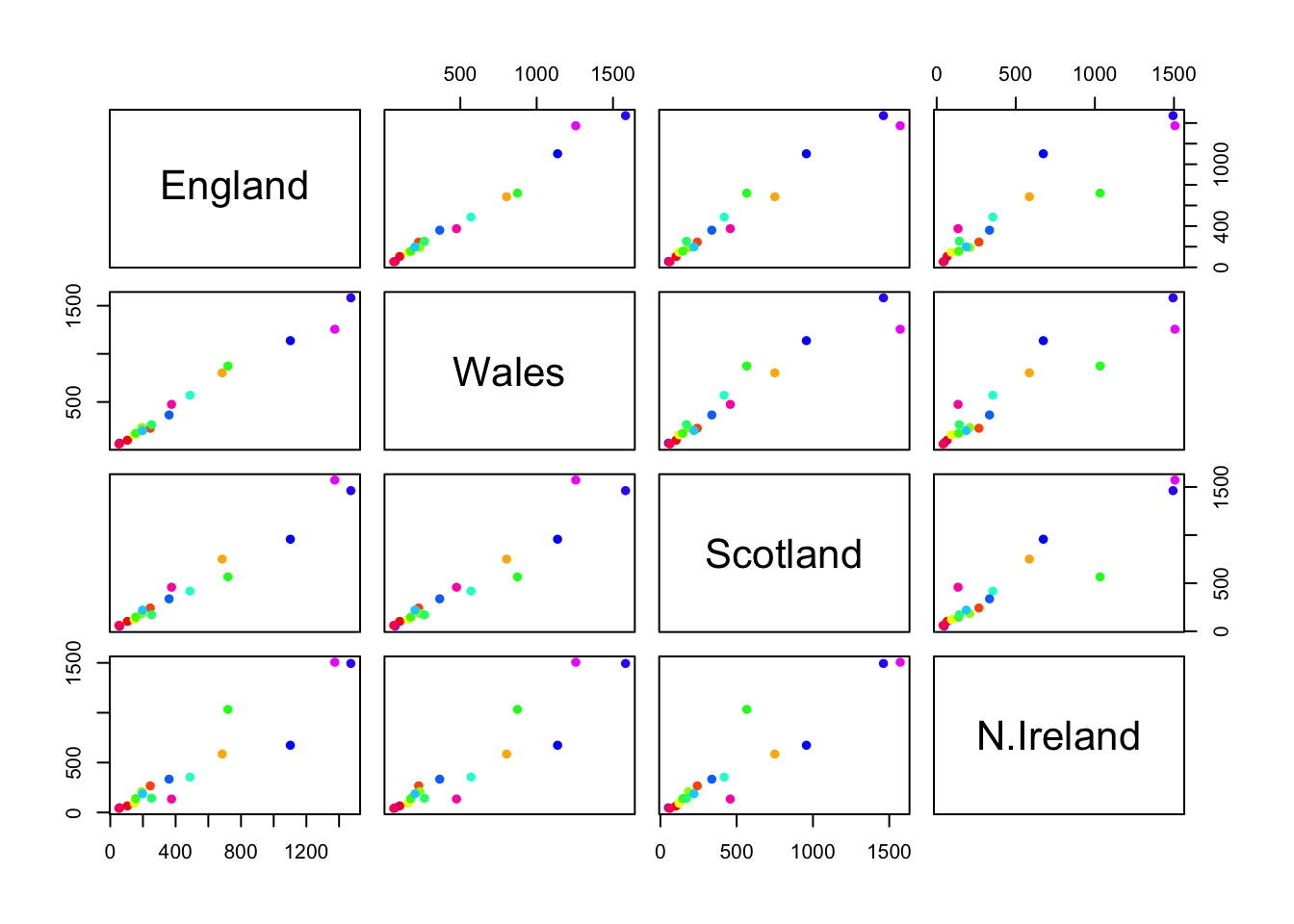
library(pheatmap)
pheatmap( as.matrix(x) )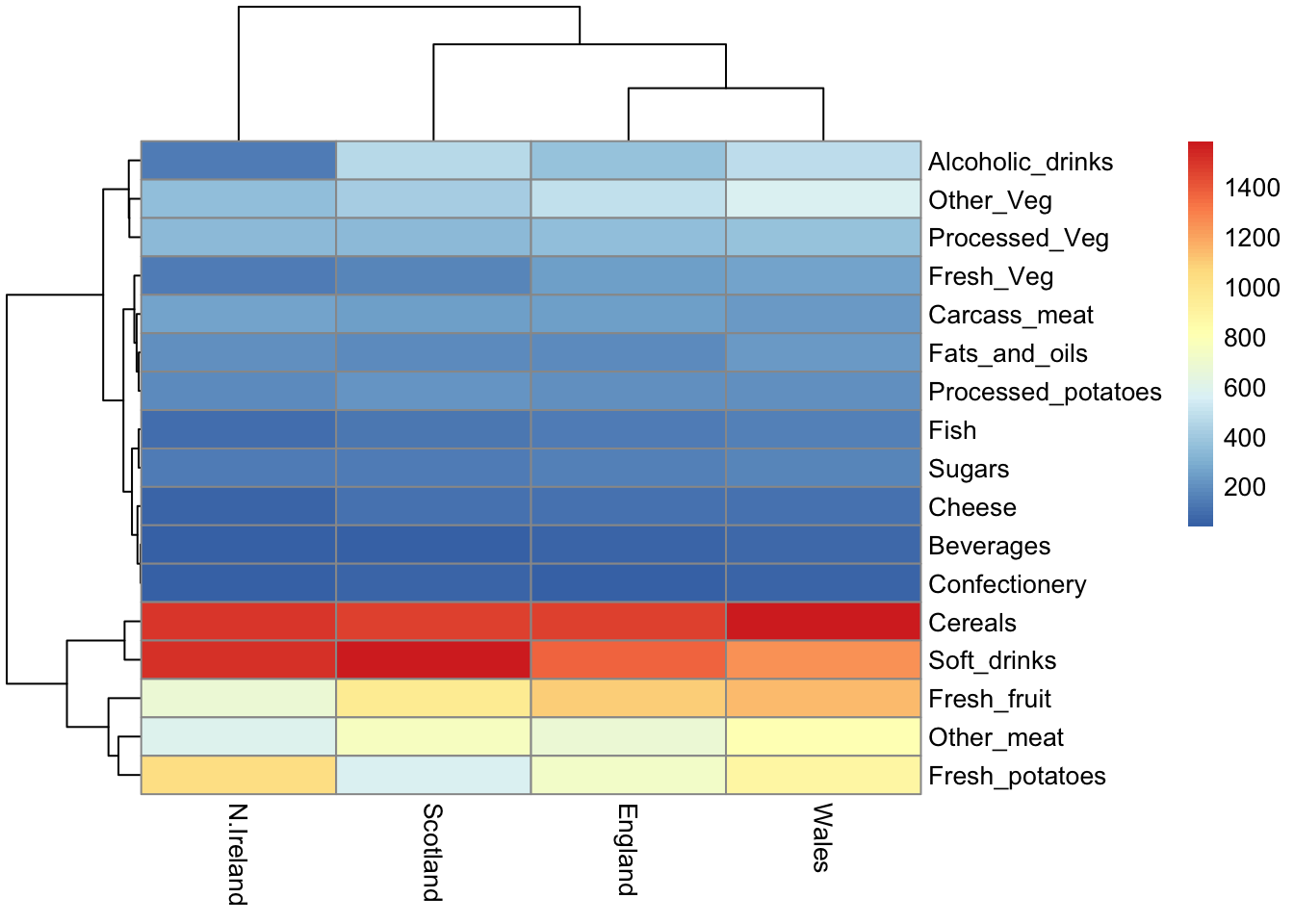
The main PCA function in “base R” is called prcomp(). This function wants the transpose of our food data as input (i.e. the foods as columns and the countries as rows).
pca <- prcomp(t(x))summary(pca)Importance of components:
PC1 PC2 PC3 PC4
Standard deviation 324.1502 212.7478 73.87622 2.7e-14
Proportion of Variance 0.6744 0.2905 0.03503 0.0e+00
Cumulative Proportion 0.6744 0.9650 1.00000 1.0e+00attributes(pca)$names
[1] "sdev" "rotation" "center" "scale" "x"
$class
[1] "prcomp"To make one of our main PCA result figures we turn to pca$x the scores along our new PCs. This is called “PC plot” or “score plot” or “ordination plot” …
pca$x PC1 PC2 PC3 PC4
England -144.99315 -2.532999 105.768945 1.612425e-14
Wales -240.52915 -224.646925 -56.475555 4.751043e-13
Scotland -91.86934 286.081786 -44.415495 -6.044349e-13
N.Ireland 477.39164 -58.901862 -4.877895 1.145386e-13my_cols <- c("orange", "red", "blue", "darkgreen")library(ggplot2)
ggplot(pca$x)+
aes(PC1, PC2)+
geom_point(col=my_cols)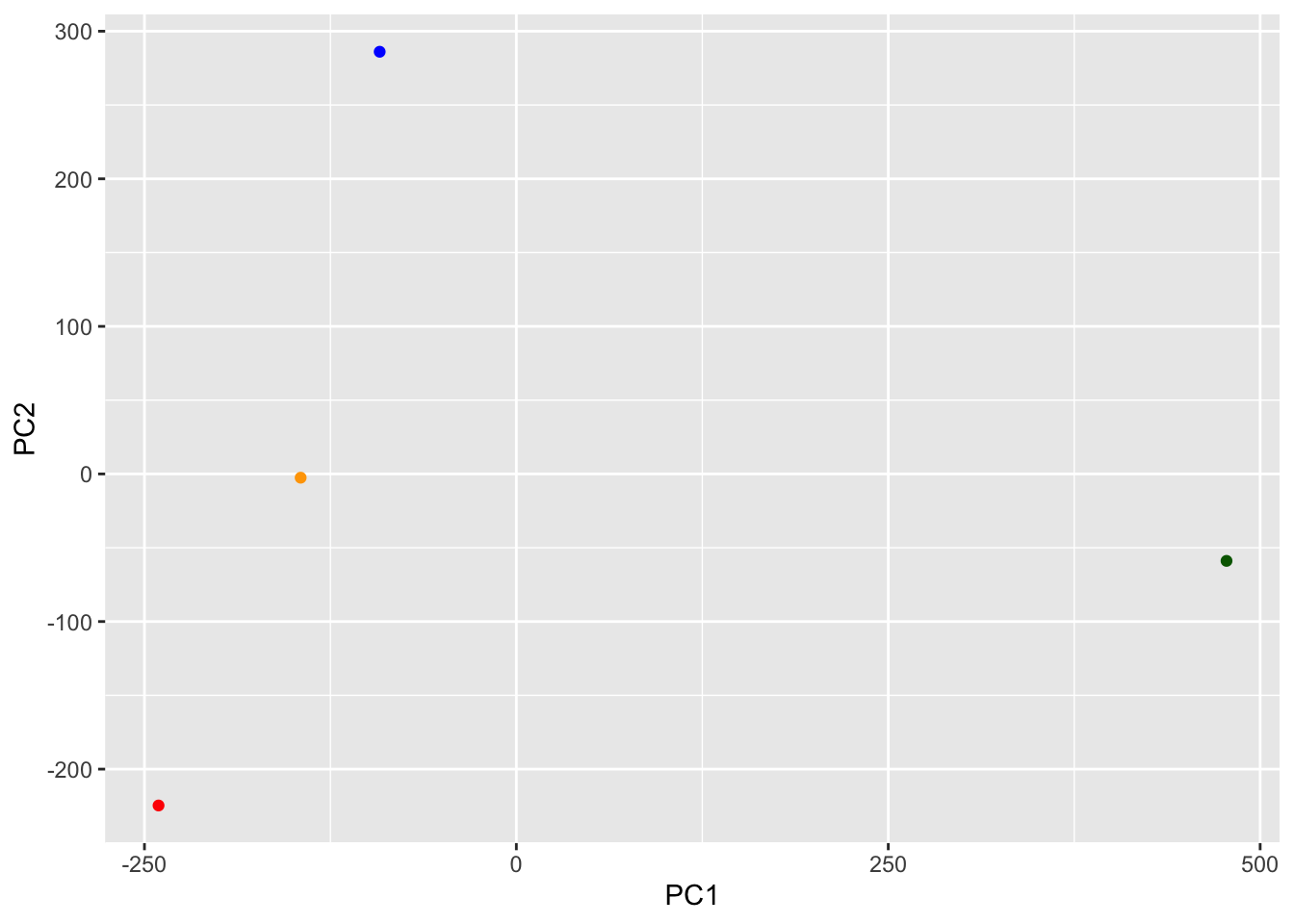
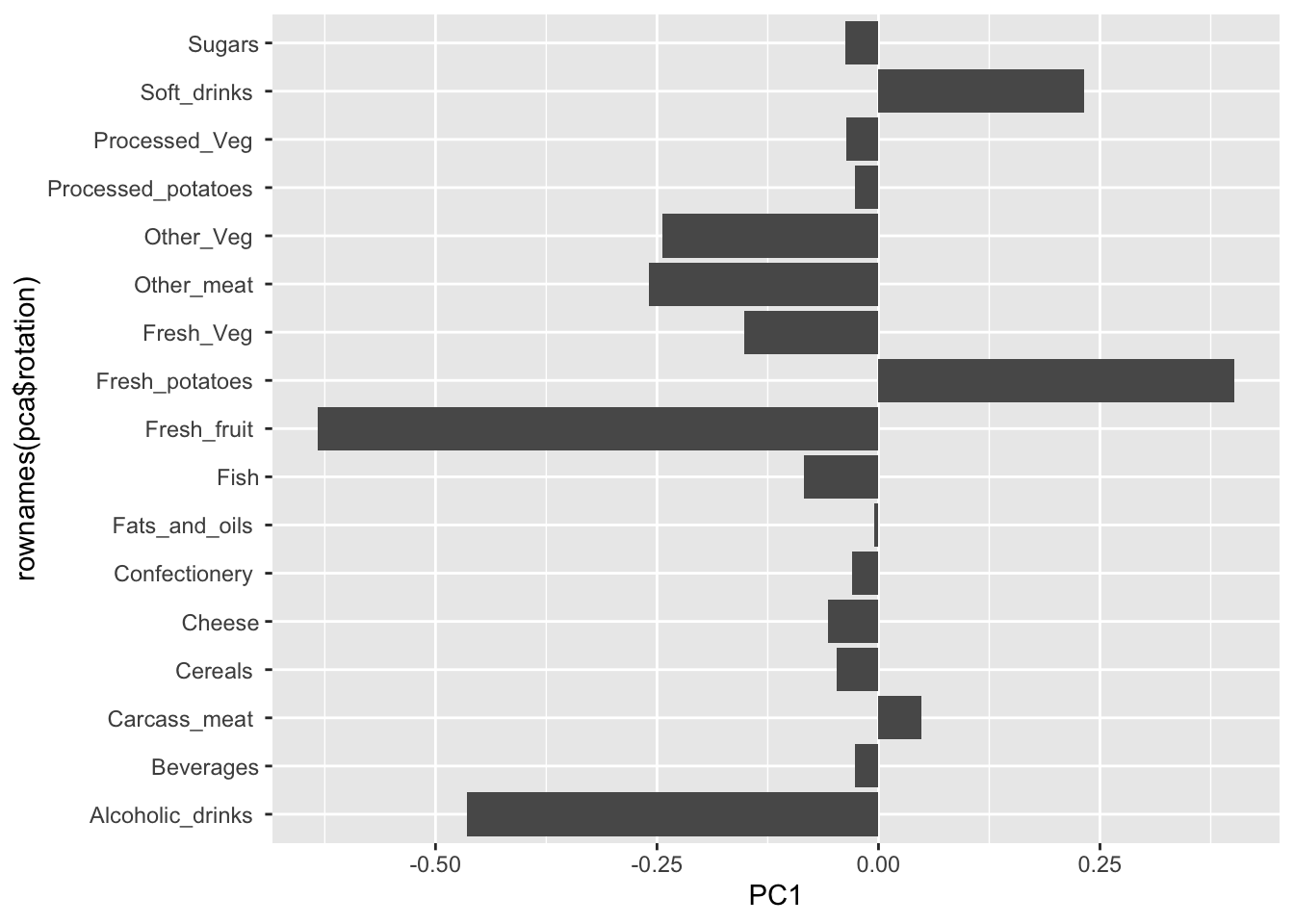
The second major result figure is called a “loadings plot” of “variable contributions plot” or “weight plot”
ggplot(pca$rotation)+
  aes(PC1, rownames(pca$rotation))+
  geom_col()